Settings
FastMe Optimization Settings
This section is where you enable or disable FastMe optimization features depending on your website’s performance and compatibility requirements. The settings page controls how FastMe applies caching, optimization, and loading behavior across the site.
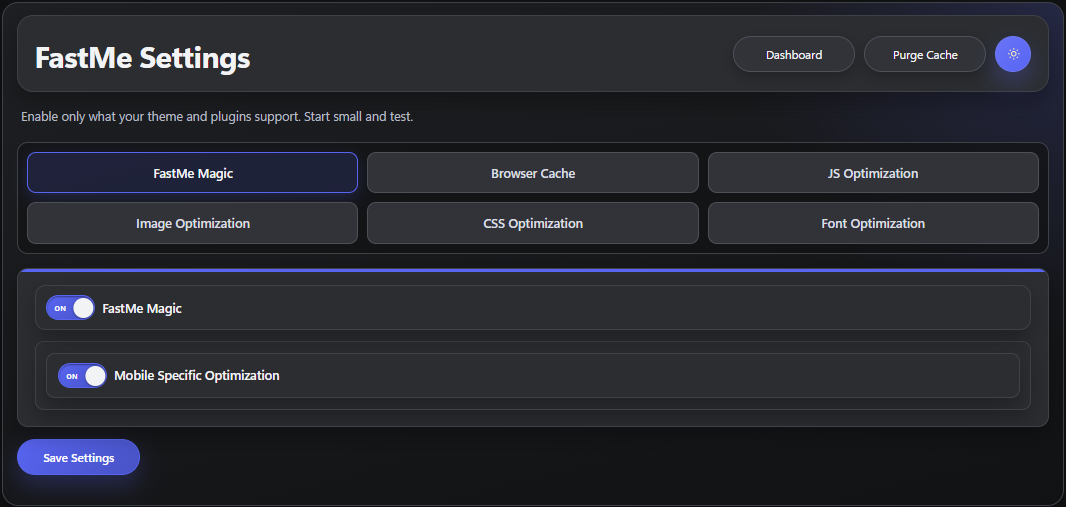
Change One Optimization Group at a Time
When adjusting optimization settings, change one feature group at a time, such as JavaScript Optimization, before testing the website again. This helps isolate problems more easily if a specific optimization causes layout issues, script conflicts, or broken functionality.
Save Settings and Clear All Caches
After enabling or disabling a setting group, save the changes and purge the website cache so the updated optimization rules can apply correctly. If the website also uses external caching systems such as a CDN or hosting cache, clear those caches as well before testing.
Refresh and Test Affected Pages
Once caches have been cleared, refresh and test the affected pages carefully to confirm the website still behaves correctly. Always verify important areas such as forms, navigation menus, mobile layouts, and interactive elements after optimization changes are applied.
Continue reading