Font Optimization
Font optimization helps reduce render delays, improve text loading behavior, and decrease unnecessary font-related downloads on the website.
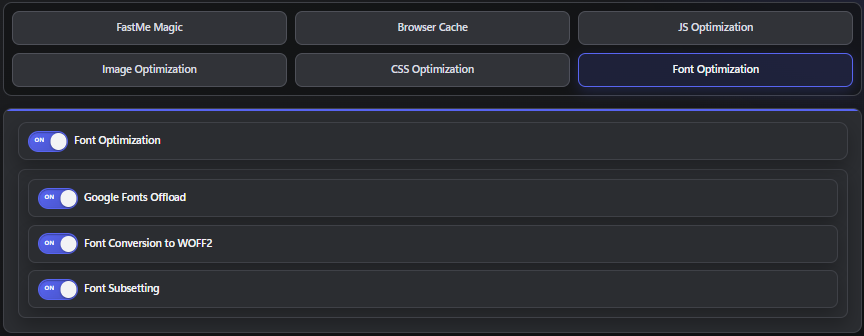
This area may include settings designed to improve how fonts are loaded, delivered, and processed across different devices and browsers.
Common Font Optimization Features
Depending on your FastMe version, this section may include options for:
reducing remote font dependency
converting supported fonts to efficient formats
limiting loaded character sets
These optimizations can help reduce page weight and improve rendering performance when configured correctly.
Google Fonts Offload
Google Fonts Offload usually means remote font dependencies are reduced, self-hosted, or delivered more efficiently to minimize external requests. This can improve privacy posture, reduce reliance on third-party font servers, and improve loading consistency across different regions.
This feature is generally useful for:
improving privacy posture
reducing remote requests
improving consistency
Always test carefully if the website depends heavily on multiple font weights, language subsets, or large font families.
Font Conversion Testing
If FastMe provides optimized font conversion features, test different areas of the website after enabling them to confirm visual consistency remains intact.
Pay special attention to:
heading fonts
body fonts
icon fonts
multilingual content
Some font-related issues only appear on less common pages, so test more than just the homepage before considering the optimization stable.
Font Subsetting
Font subsetting can reduce bandwidth usage by removing unused glyphs and unnecessary character sets from font files. This may improve loading performance on websites that only require a limited range of characters.
Use additional caution on:
multilingual websites
stores with international products
sites using special symbols
user-generated content websites
If letters, symbols, or icons disappear after enabling font subsetting, disable the feature first and retest the affected pages.
Continue reading